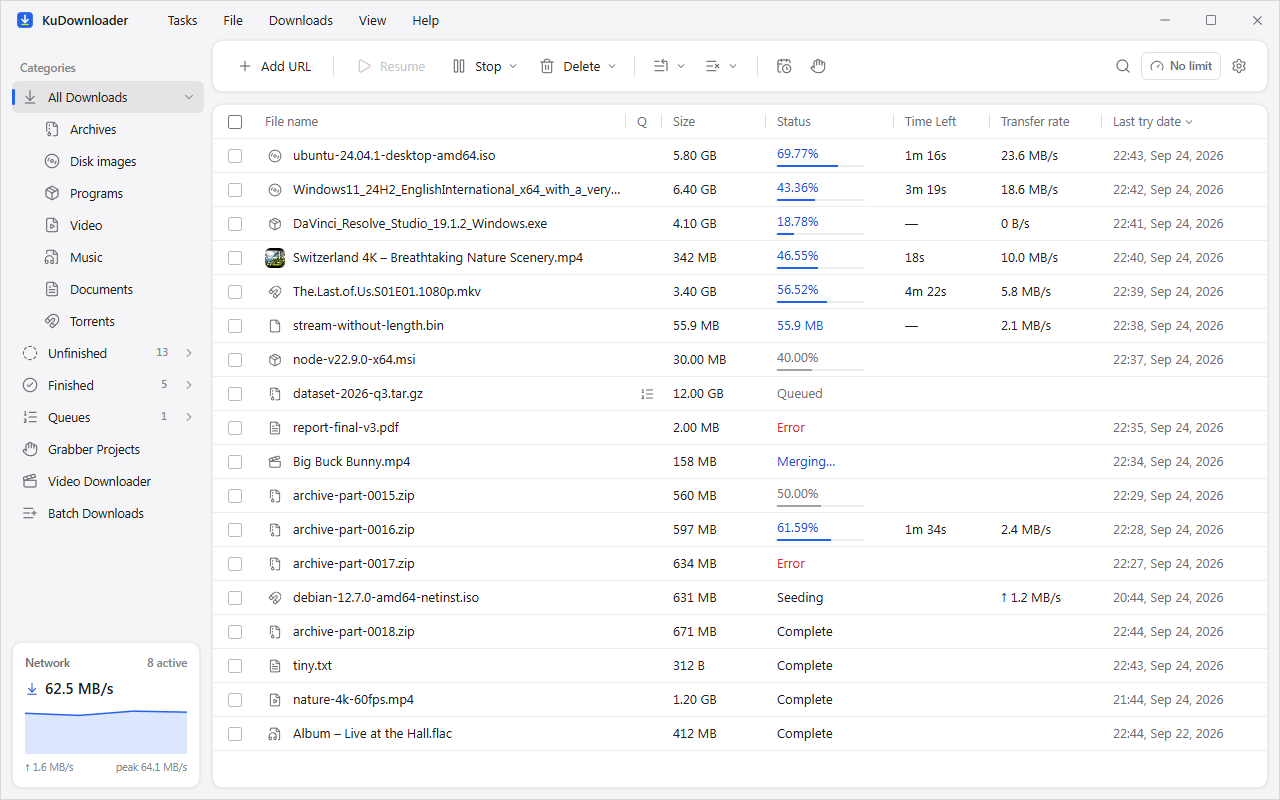
Desktop app
Windows, macOS and Linux. Queues, schedules, a progress window like the classics, and updates that install themselves.
Download KuDownloader
A free, open-source download manager for your computer and your phone. Many connections per file, resume after anything, videos from 1,000+ sites, and no ads, accounts or tracking.
Windows · macOS · Linux · Android

KuDownloader is built for everyone who downloads: big files that finish, links that expire, videos you want to keep, and files you want on your other devices without the cloud.
Windows, macOS and Linux. Queues, schedules, a progress window like the classics, and updates that install themselves.
DownloadThe same engine in your pocket, with a private browser that blocks ads and puts a KuDownload button on every video.
Get the APKChrome, Edge, Brave and Firefox hand their downloads and videos to KuDownloader with one click.
Add to your browserFiles, folders and links between your phone and computers on the same Wi‑Fi, at full local speed, encrypted.
How it worksAnd a few things none of the others do.
Every file is split across many connections, and KuDownloader tunes them while it runs: more when the server keeps up, fewer when it pushes back.
Lost Wi‑Fi, a restart, a link that expired: pick up where it stopped. Refresh an expired address without losing a byte.
Choose the quality, keep subtitles and cover art, grab whole playlists, or save just the audio as M4A, MP3, Opus or FLAC.
Downloads you start in the browser land in KuDownloader, with the site's cookies so signed-in downloads work too.
Light and dark themes, accent colours, twelve languages, speed profiles, and schedules that start the night shift for you.
KuAirSend
Nearby KuDownloader devices show up on a radar, each with its own pixel animal. Tap one to send files, folders, text or links. Nothing goes through the internet.
Many connections, resume after a restart, and a checksum at the end so you know it is intact.
Pick quality and format, keep subtitles, and let whole playlists download while you work.
Fetch every PDF on a course page at once, or queue lectures to download overnight.
Speed profiles, schedules for off-peak hours, and Wi‑Fi only on your phone.
Send a link from any phone and let the always-on PC do the downloading.
Free and open source. Pick your system.
Windows 10 and 11, 64-bit.
Download installermacOS 11 or later.
AppImage, Debian/Ubuntu, Fedora, Arch and Flatpak.
Android 7 or later. Most phones need arm64.
Hands the browser's downloads and videos to KuDownloader. It comes with the desktop app: open Settings › Browser integration and choose your browser (Chrome, Edge, Brave, Opera, Vivaldi or Firefox).
Yes. KuDownloader is free and open source, with no ads, no accounts and no paid tier.
No. Your downloads, history and settings stay on your devices. See the privacy policy.
The installers are not yet signed with a paid code-signing certificate. The app updates themselves are signed and verified before they install.
Google Play does not allow apps that download from video sites, so KuDownloader for Android is published here and on GitHub.
No. KuDownloader does not bypass DRM.